



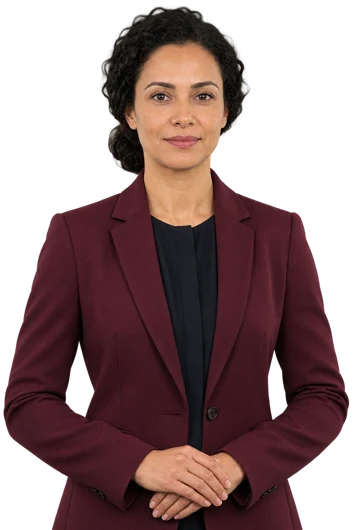



Next-Gen AI Avatars.
Multilingual.
Expressive. Agentic.

Consult. Support. Sell. Train. And more.

Give your business the Ansha Advantage. Ansha listens and replies in your customer’s language, even when they switch mid-conversation. With natural pauses and facial expressions, it can talk through what they show on camera, analyze shared files, and guide them through a form on screen. Connect your booking system to help schedule the next visit.

I can welcome your visitors, guide a lesson, or present your next video. Try the live demo and talk with me.

Multilingual conversations Avatar video Visual context Embeds & API

Features

Choose a capability to explore what Ansha can do.

SeeSee the camera view, read a shared screen, and analyze files.
Camera
Ask for a clearer angle and discuss visible details with the visitor.
Screen sharing
Read what’s on a shared screen and guide someone through a report, form, or software task.
Images and documents
Review visitor-shared files, compare them with the current view, and explain what is unclear.
SpeakHold an expressive conversation, even when someone switches languages.
Voice and text
Hold a two-way conversation, take follow-up questions, and let the visitor interrupt a spoken reply.
Multilingual replies
Follow the language of each turn or choose a fixed language. Set a fallback for unclear requests.
Expression
Pair speech with lip movement, pauses, and facial expression. Choose the avatar mode and voice for the experience.
Business knowledge
Ground answers in your website, documents, and curated FAQs. Generate a starting set of questions and refine it in your workspace.
ActBook a visit, qualify a lead, or start a workflow in a connected app.
Reception and sales
Check visitors in, ask intake questions based on their answers, explain products or memberships, and book through a connected calendar.
Consultations and handoffs
Explore goals and approved options. Prepare a summary, capture a lead, and pass the request to staff or a connected CRM.
Connected apps
Authorize supported scheduling, CRM, commerce, and business tools. Custom MCP connections extend what your workspace can look up or do.
Workflows
Use the visual builder to connect triggers, conditions, and actions. Administrators can also use authorized remote-browser tools.
Custom AvatarCreate an Ansha Avatar in your likeness and pair it with your own cloned voice.
Your likeness
Use your own portrait or a camera snapshot to create a custom avatar based on you.
Your voice
Clone your voice with your permission so your avatar can speak in a familiar voice.
Make it yours
Choose the avatar’s role, welcome, instructions, knowledge, languages, and tools.
Consent and control
Clone only yourself or someone who has explicitly agreed to the use of their likeness and voice.
CreateGive an avatar a face and voice, then turn scripts into videos.
Avatar and voice
Choose a ready-made presenter, upload a portrait, or take a camera snapshot. Choose a supported voice or clone a voice with permission.
Agent design
Set the role, welcome message, instructions, knowledge, and tools in the setup wizard.
Video studio
Build reusable scenes and slides, add timed subtitles, localize scripts, and generate personalized videos in batches.
Exports
Download an MP4 in landscape, portrait, or square format.
TeachCoach someone through a task, then let them practice it.
Courses
Build guided lessons for onboarding, product education, or staff training.
Role-play
Rehearse a sales objection or support call, give specific feedback, and invite the learner to try another response.
Visual coaching
Explain a step using the screen or camera view the learner chooses to share.
Assessment
Check understanding, review results, and let learners resume their saved progress.
DeployReach people by web link, website or app embed, or H.E.L.O.
Web and mobile
Share one URL that opens your avatar as a web app in a desktop or mobile browser.
Website and app embeds
Place a responsive avatar on your site or in your product. Use the SDK, scoped APIs, and signed webhooks for custom integrations.
Kiosks and H.E.L.O.
Manage shared displays with session resets and approved offline material. Explore full-height H.E.L.O. or H.E.L.O. Desk for a physical presence.
Workspace management
Review sessions, transcripts, leads, and usage. Manage connected accounts, supported bring-your-own AI keys, and billing.
Virtual ReceptionistAnswer calls with Ansha VoiceCore AI and help website visitors go from a question to a booking.
On the phone
Route your business number to a voice agent set up with your hours, services, and answers to common questions.
On your website
Ansha’s built-in intake tools can ask what a visitor needs, capture their contact details, and book an available time through your connected calendar.
When someone needs your team
Hand your team a summary of the request and the visitor’s contact details so they can follow up.
Outbound CallingReturn requested calls and follow up on inquiries from your business number with Ansha VoiceCore AI.
Callback requests
Visitors can leave their number, the reason for the call, and consent to a callback. Your team reviews each request before Ansha dials.
Call history
Review call outcomes and available transcripts privately in your workspace.
Advanced AI CRMUse the Ansha CRM AI add-on to manage contacts, track deals, and plan your next follow-up.
Contact capture
Send leads from website conversations to your connected CRM with the details your team needs to follow up.
Follow-up
Track each opportunity from initial inquiry through booking or sale, and see which contacts still need a response.
MeetingsBring Ansha into the conversation on Zoom or Google Meet for a Q&A, onboarding, or training session.
Prepare the call
Find an upcoming Zoom meeting and its join link in a connected Zoom account, or create a Google Meet space to share with attendees.
Invite Ansha
In a workspace with meeting participation enabled, the owner can enter a Zoom or Google Meet link, request that Ansha join, check its status, and have it leave.
Speak with Ansha
Attendees can address Ansha by name. Its avatar can answer aloud using the knowledge you have given it. The meeting organizer controls admission and host permissions.

Use cases

What will your avatar do?

Explore practical roles for welcoming visitors, answering questions, guiding decisions, training teams, and sharing information.

H.E.L.O. by I Brain Robotics

Meet Ansha in person.

H.E.L.O. is the physical embodiment of Ansha. In a lobby or showroom, visitors can speak with a life-size presenter in their own language. At a counter, H.E.L.O. Desk pairs the presenter with a touch workspace for exploring products or booking a visit.

Explore H.E.L.O. for your business
Full-height H.E.L.O. beside the countertop H.E.L.O. Desk
Product design rendering by I Brain Robotics

Expressive avatars

Meet the presenters.

Choose an industry to see its presenters and preview how they move and speak.

Browse all 64 avatars

Custom avatars

Make Ansha look and sound like you.

Create an avatar in your own likeness from a portrait or camera snapshot, then clone your voice with permission. Give your avatar a role, knowledge, and the languages it should speak.

Create a custom avatar

How it works

Make the avatar
your own.

Choose a face and voice

Create a custom avatar from your own portrait or camera snapshot. Clone your voice with permission, then choose how your avatar looks, sounds and introduces itself.

Teach it your business

Add your documents, define its role and decide when it should ask questions or bring in a team member.

Put it where people are

Share your Ansha web app by URL on desktop or mobile. Embed it in your website or app, or bring it into a lobby with H.E.L.O.

Visual conversations

Talk through what’s on screen.

Ansha can read a shared report, explain what’s visible on a customer’s screen, and guide them through the next step.

Apps & integrations

Give Ansha the tools to act.

Share one link

Send your avatar’s web app URL in an email or message. A customer can open it in a desktop or mobile browser. You can also embed Ansha in your website or app, or offer an in-person conversation through H.E.L.O.

Explore H.E.L.O. →

Connect your business apps

Give Ansha access to the tasks your team authorizes. A connected calendar lets it check availability, a CRM can receive a contact for follow-up, and a custom MCP tool can bring business-specific information into the conversation.

Explore the developer tools →

Work with Zoom and Google Meet

With the relevant account connected, Ansha can look up a Zoom meeting and its join link or create a Google Meet space. Want Ansha to join a call, take questions, or lead a session? Bring the agenda to a walkthrough.

Discuss your meeting workflow →

For developers

Build Ansha AI into
your product.

Embed a public agent, create a Studio video from your backend, or send booking and consultation events to your CRM.

Read the API docs
Website embed
import { mountAnshaAI } from
  'https://humibot.flowgeniq.io/sdk/ansha-ai.js';

mountAnshaAI(
  document.querySelector('#assistant'),
  { chatbotId: YOUR_AGENT_ID }
);
Public embed · No browser API key required

Ansha AI pricing

Choose your Ansha plan.

Plans in USD per account. Choose a plan to create your Ansha account and continue to secure checkout.

These are account limits. Optima and Premium also depend on shared renderer and provider capacity. Configured shared caps: Essence 100, Optima 1, Premium 1.

Free

$0/ month

Explore Ansha with ready-made avatars.

  • 20 shared conversation minutes per month
  • 1 simultaneous conversation per account
  • 5-minute maximum conversation
  • No pay-as-you-go overages
  • Developer API and optional BYOI
Start free

Starter

$22/ month

Build and publish conversational AI assistants.

  • 60 shared conversation minutes per month
  • 1 simultaneous conversation per account
  • 10-minute maximum conversation
  • No pay-as-you-go overages
  • Developer API and optional BYOI
Choose Starter

Builder

$59/ month

Build and publish conversational AI assistants.

  • 175 shared conversation minutes per month
  • 3 simultaneous conversations per account
  • 15-minute maximum conversation
  • Additional minutes: $0.35/min
  • Developer API and optional BYOI
Choose Builder

Growth

$397/ month

Build and publish conversational AI assistants.

  • 1,300 shared conversation minutes per month
  • 10 simultaneous conversations per account
  • 60-minute maximum conversation
  • Additional minutes: $0.31/min
  • Developer API and optional BYOI
Choose Growth

Business

$975/ month

Build and publish conversational AI assistants.

  • 4,000 shared conversation minutes per month
  • 15 simultaneous conversations per account
  • 60-minute maximum conversation
  • Additional minutes: $0.26/min
  • Developer API and optional BYOI
Choose Business

Enterprise

Custom

Capacity and pricing tailored to your deployment.

  • Custom concurrency after capacity review
  • Volume pricing and implementation scoped with your team
Contact us

Additional minutes

The rate follows your account plan across all supported conversation modules. Free and Starter have no overages.

Plan1 minute10 minutes100 minutes
Builder$0.35$3.50$35
Growth$0.31$3.10$31
Business$0.26$2.60$26

Plan limits apply across assistants, websites, kiosks and API sessions. Oracle remains separately gated.

One shared conversation pool

One shared conversation allowance covers all supported modules. For example, Builder includes 175 total minutes, shared across Essence, Optima and Premium.

50 Essence + 75 Optima + 50 Premium minutes = 175 conversation minutes.

Optional add-ons

Ansha VoiceCore AI
Give your AI agent a phone number for inbound and outbound calls. Phone charges are billed separately from your plan’s avatar minutes.
$10 per number at purchase · $5/month per number starting one month after purchase, until released.
$0.032/minute for completed calls, prorated by the second. Open VoiceCore from your Ansha dashboard to choose a number.
Ansha CRM AI
Manage contacts, deals and follow-ups in your CRM workspace. Add-on pricing will be announced.
Open Ansha dashboard

Billing and usage

When does time count?
Connected conversation time includes speaking and listening. New plans use a 30-second minimum followed by 6-second reservations. App, embed, kiosk and API sessions share the account pool.
How do included minutes work?
One conversation allowance is shared across Essence, Optima and Premium; it is not multiplied by the number of modules. Free and Starter stop when included minutes are exhausted. Premium requires explicit activation.
How do overages work?
Builder, Growth and Business support opt-in pay-as-you-go with a monthly cap through Stripe. PayPal customers can buy prepaid conversation minutes. Included minutes reset monthly; purchased minutes carry forward while access remains active.
What does concurrency mean?
The limit counts simultaneous conversations across every assistant and channel in your account. Shared renderer or provider capacity may be lower. If capacity is full, a new conversation waits until a slot becomes available; it is not billed for the rejected start.
Can I bring my own AI keys?
BYOI is optional on every plan. Supported provider calls use your connected keys. Your Ansha subscription and rendering charges still apply.
What about existing subscriptions?
Existing subscriptions retain their purchased pricing, allowances and usage rates. Choose a new plan after managing your current subscription to move to these prices.
What costs extra?
Custom avatar creation, third-party voices, Studio exports and custom implementation remain separately quoted. Tavus-specific creation quotas, compliance certifications and infrastructure SLAs are not included in Ansha unless separately enabled and agreed.
Manage Ansha billing

Who will be the face of your brand?

Create an avatar from your own portrait or camera snapshot, or choose a ready-made presenter. Clone your voice with permission, then give your avatar the knowledge and role your customers need.